
AP Workflow Automation Consultant vs Software
This article helps SMB finance teams decide between buying AP automation software and working with an AP workflow automation consultant. It explains when software may be enough, when implementation support matters, and how to evaluate workflow fit, controls, approvals, integrations, and exception handling before making a decision.
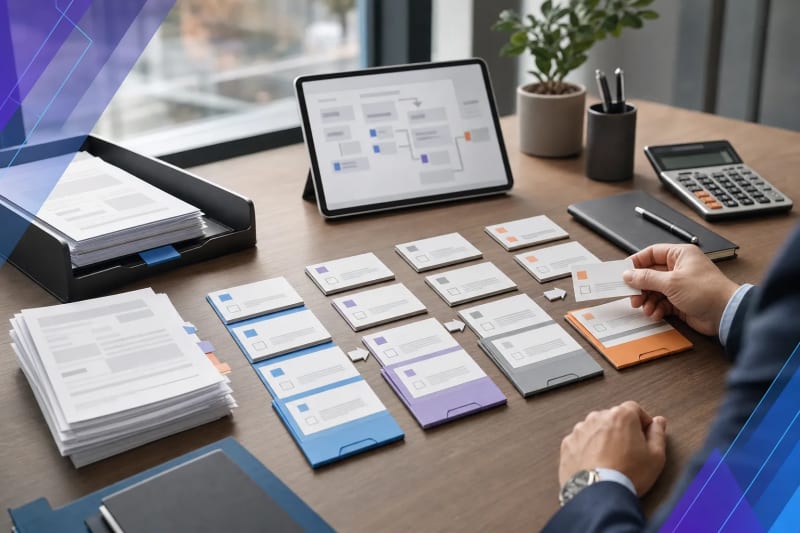
If you’re comparing AP automation platforms and wondering whether you also need an AP workflow automation consultant, that’s the right place to start. For small and mid-sized finance teams, the decision is not only about features. It’s about whether your accounts payable process is straightforward enough to fit a tool with limited customization, or complex enough that you need help redesigning the workflow, managing exceptions, and connecting automation to the rest of the business.
Many AP projects stall for a familiar reason: the software can process invoices, but the business still deals with inconsistent submission channels, approval bottlenecks, missing PO data, duplicate invoice risk, and accounting handoffs that live in people’s heads. In those situations, implementation matters just as much as the platform. A polished demo is not the same thing as a reliable month-end process.
Direct answer: should you choose software or an AP workflow automation consultant?
Choose AP automation software alone if invoice intake is already standardized, approval rules are documented, coding is consistent, your accounting system is stable, and your team can handle setup, testing, and adoption in-house.
Choose an AP workflow automation consultant if your AP process includes multiple intake channels, vendor-specific exceptions, inconsistent coding, manual approval chasing, document extraction issues, unclear controls, or gaps between invoice intake, validation, approvals, and your accounting system.
For many SMBs, the best answer is both. Use software for capture, routing, and visibility, and use an AP workflow automation consultant to define workflows, controls, exception paths, and implementation ownership. In practice, that combination is often the fastest route to a usable process instead of a half-configured tool.
- Software is usually enough when: the workflow is stable, standardized, and clearly owned internally.
- Consulting support is usually needed when: the workflow is fragmented, exception-heavy, or dependent on a few specific employees.
- A combined approach works best when: you need automation but also need help turning day-to-day AP operations into clear system rules.
Why this decision matters more than the software demo
AP software demos usually showcase the ideal path: an invoice arrives, data is extracted, coding is suggested, approval is routed, and the bill is posted. That flow is helpful, but it rarely reflects where finance teams struggle most.
The harder questions are usually at the edges:
- Where do invoices really enter the business: email, vendor portals, scans, PDFs, shared inboxes, or forwarded attachments?
- Who verifies that the invoice belongs to the right entity, location, or department?
- What happens when a PO is missing, the amount does not match, or the approver is unavailable?
- Who resolves duplicates, credit memos, partial receipts, and coding disputes?
- How does AP know whether work is moving or stuck?
Software can support those steps, but it does not define them for you. If your current process depends on email follow-ups, spreadsheet trackers, and people remembering what comes next, buying software alone may simply move the disorder into a new interface.
This is especially common in SMB environments where AP is not run by a large centralized team. A controller may own policy, department managers may approve spend, operations may confirm receipts, and one AP specialist may be the only person who knows which vendors require special handling. That process can still be automated, but only if someone translates the real operating rules into a workflow the system can enforce.
What AP automation software is good at
Software is often the right answer when the workflow itself is already understood. In AP, that usually means the team has consistent intake channels, clear approval logic, and a reasonably clean handoff into the accounting system.
Good AP software can help with:
- Invoice intake from email, uploads, scans, or vendor submissions
- Document extraction and field capture
- Basic validation rules
- Approval routing by amount, department, or vendor
- Status visibility for invoices in process
- Posting or syncing data into accounting platforms
If your AP team mainly needs speed, visibility, and less manual entry, software may be enough. That is especially true when one internal owner can make process decisions, coordinate accounting requirements, and manage rollout.
Software also works best when your team can answer practical setup questions without much debate. For example: Which fields are required before an invoice can move forward? When should a bill be held for review? Which invoices can auto-route, and which need AP review first? If those answers are already clear, configuration may matter more than consulting.
For teams evaluating document-heavy intake and extraction work, it helps to look beyond OCR alone and consider the full workflow around classification, validation, and routing. ClearGuide covers that broader operational view in its document processing automation work.
What an AP workflow automation consultant actually does
An AP workflow automation consultant should do more than recommend tools. The real job is to help define a workflow your business can actually run.
That usually includes:
- Mapping how invoices enter the business today
- Identifying where manual review is necessary and where it is not
- Defining approval rules that reflect real authority and spend controls
- Separating standard invoices from exception paths
- Designing handoffs into ERP or accounting systems
- Building reporting around stuck invoices, aging, and approval delays
- Creating practical fallback rules when extraction is uncertain or data is missing
This matters because AP is not just a data-entry issue. It is also a controls issue, a workflow issue, and often a communication issue between finance and the rest of the business.
In implementation, that often means getting specific about decisions software vendors leave abstract. Who can override coding? What happens if an invoice arrives before the PO is properly closed out? Should low-dollar recurring invoices follow a lighter approval path? When should the system escalate, and when should it simply queue an item for AP review? Those are operating decisions, not just technical settings.
When companies need that kind of operational design and implementation support, the best fit may not be a generic software reseller. It may be a partner that can map the bottleneck, build the workflow, and fit it into existing operations. That is the focus of custom AI workflow implementation at ClearGuide.
Signs software alone may be enough
You may not need a consultant if most of the following are true:
- Your invoices arrive through one or two controlled channels
- Your chart of accounts and coding rules are stable
- Your approver structure is clear and documented
- Your accounting system has a supported integration path
- Your AP team already agrees on exception handling
- You have an internal operations or finance lead who can own rollout
In that case, the main risk is choosing software that is either too limited or too complex for your team. A disciplined software evaluation may be all you need.
Even then, it helps to pressure-test the process before you buy. Ask whether your standard workflow is truly standard or simply familiar to the current team. Many AP processes look simple until someone has to document approval thresholds, vendor exceptions, or what happens when a bill cannot be matched cleanly.
Signs you likely need implementation help
If any of these sound familiar, an AP workflow automation consultant is worth considering:
- Invoices come in through many channels and no one fully controls intake
- Approvals happen by email, memory, or hallway conversation
- Different business units follow different AP rules
- PO matching is inconsistent or only sometimes required
- Invoice coding depends on one experienced team member
- Vendors send incomplete documents or inconsistent formats
- Exceptions pile up because no one has defined a resolution path
- Finance wants automation, but operations still owns key approval decisions
These are workflow design problems. Software can support the solution, but it usually will not remove the ambiguity on its own.
Another common sign is when the AP team spends more time chasing answers than entering invoices. If staff are constantly asking, “Who approves this?” “Is this the right entity?” “Did receiving confirm this?” or “Has this vendor already sent the same bill?” then the bottleneck is probably decision routing and control clarity, not just data capture.
How SMB finance teams should evaluate the decision
1. Start with process variability, not feature lists
If your AP process changes by vendor, location, entity, or department, document that before you compare platforms. Variability is one of the biggest drivers of implementation complexity.
For example, one location may require manager approval for every non-PO invoice, while another relies on department coding after the fact. One vendor may provide usable remittance detail, while another sends a single PDF with limited line-item structure. Those differences can matter more than a long list of product features.
2. Look closely at exception handling
The standard path is rarely the whole story. Ask how your team will handle missing POs, duplicate invoices, split coding, disputed charges, and approval escalations. If the answer is still “someone checks manually,” your project may not be fully defined.
Manual review is not automatically a problem. The real issue is whether it is intentional and controlled. A strong workflow makes clear which exceptions require human review, who owns them, and what has to be resolved before the invoice can move forward.
3. Check integration reality
A vendor saying they integrate with your accounting system is only the starting point. You need to know what data moves, when it moves, what can fail, and who fixes it. The accounts payable overview from AccountingTools is a useful reminder that AP is a control function, not just a document flow.
In practice, integration questions often include whether vendor records must already exist, whether coding happens before or after approval, whether attachments sync with the transaction, and how rejected records are surfaced. A basic connector does not answer those operational questions by itself.
4. Consider ownership after launch
Someone has to maintain rules, review edge cases, update approver logic, and monitor failures. Without clear ownership, software can become another half-used system.
This is where many SMB teams underestimate the effort. AP automation is not always a one-time setup. Approvers change, entities change, GL structures change, and vendors do not always send documents the same way every month. The workflow needs an owner who can keep it aligned with the business.
5. Separate automation from policy
If your approval authority, matching requirements, or invoice coding rules are unclear, settle those decisions first. Automation works best when policy is defined well enough to operationalize.
If policy is still informal, implementation will usually expose that quickly. That is not a reason to avoid automation. It is a reason to treat workflow design as part of the project instead of assuming the software will create clarity on its own.
A practical middle path: software plus workflow implementation
For many SMBs, the best option is not consultant versus software. It is software plus focused implementation support.
That approach works well when you already know AP needs improvement, but you do not want a long consulting engagement or a large software rollout that ignores day-to-day reality. A practical implementation partner can help define intake rules, approval routing, exception queues, and accounting handoffs without overengineering the process.
It also helps when the goal is not a full AP redesign on day one. Many teams get better results by starting with one pain point, such as invoice intake from shared inboxes, coding support for common vendors, or approval routing for non-PO invoices. Once that is stable, the workflow can expand into matching, exception handling, and reporting.
If your team is specifically trying to reduce invoice entry, validation, routing, and approval friction, ClearGuide's accounts payable automation services are built around those operational steps rather than generic platform setup.
Questions to ask before you buy anything
- Where do invoices enter today, and can we standardize those channels?
- What percentage of invoices follows a standard path versus an exception path?
- Which approval rules are policy, and which are simply habits?
- What data must be validated before an invoice can move forward?
- How will we handle low-confidence extraction or missing fields?
- What reporting do finance leaders need to spot bottlenecks and aging?
- Who owns the workflow after implementation?
If you cannot answer these clearly, you may not be choosing between tools yet. You may still be defining the process.
Frequently Asked Questions
What does an AP workflow automation consultant do?
An AP workflow automation consultant helps design and implement accounts payable workflows, including invoice intake, validation, approval routing, exception handling, controls, and system integration.
When is AP software enough without consulting help?
AP software is often enough when invoice intake is standardized, approval rules are documented, coding is consistent, and an internal owner can manage setup and rollout.
How do I know if my AP process is too messy for out-of-the-box software?
If invoices arrive through many channels, approvals happen informally, and exceptions depend on specific employees, your process likely needs workflow design in addition to software.
Is AP automation mainly about OCR and invoice extraction?
No. OCR is only one part of AP automation. Most of the operational value comes from validation, routing, approvals, exception management, and accurate posting into accounting systems.
Should we map the workflow before choosing a tool?
Yes. Even a simple workflow map helps you judge whether a tool fits your intake channels, approval logic, exceptions, controls, and integration needs.
Make the decision based on workflow reality
The right choice depends less on how impressive the software looks and more on how your AP process behaves under normal pressure. If the workflow is stable, software may be enough. If the work is fragmented, exception-heavy, or dependent on manual follow-up, an AP workflow automation consultant can help you avoid buying a tool that never fully fits.
For a useful outside reference on internal control expectations around payable processes, the AICPA can provide broader accounting governance context.
If you want a practical second opinion, talk with ClearGuide about one AP workflow that keeps getting stuck. A focused conversation may be enough to tell whether you need software, implementation help, or both.
Reading is useful. A workflow assessment makes it concrete.
If a guide sounds like your business, ClearGuide can help you map the workflow and decide what is worth building first.