
Customs Documentation Automation for Freight Forwarders
A practical implementation guide to customs documentation automation for freight forwarders, covering document intake, extraction, exception routing, human-review controls, integrations, and success measures.
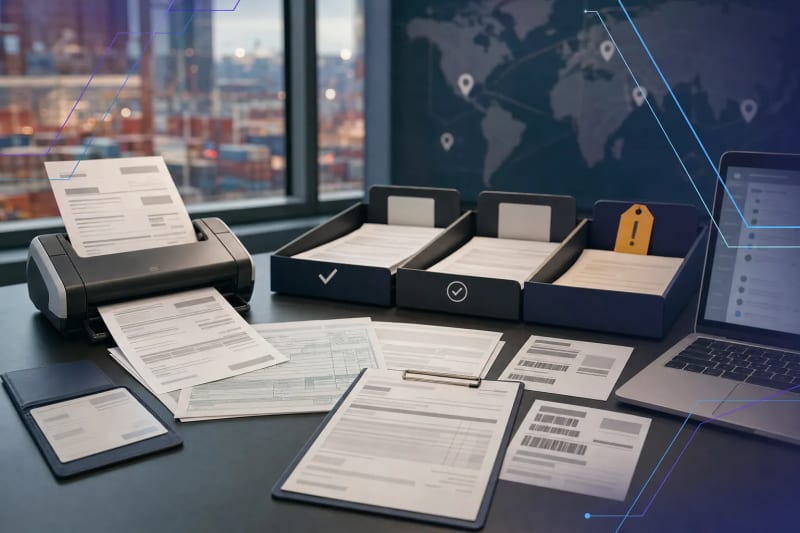
Customs documentation automation for freight forwarders can reduce manual intake work by organizing incoming files, extracting reviewable data, identifying gaps, and routing exceptions to the right person. It works best when qualified staff retain control over classification, admissibility, valuation, filing requirements, release decisions, and other compliance-sensitive judgments.
The goal isn’t to have AI make customs decisions. It’s to give the responsible operator a more complete, organized, and traceable shipment file sooner.
Forwarding teams may receive commercial invoices, packing lists, bills of lading, arrival notices, certificates, customer instructions, and email attachments in inconsistent formats. A shipment may arrive through a shared inbox, customer portal, scan-to-email process, or internal upload folder. Before substantive review can begin, someone may need to identify the shipment, determine what each document is, find missing information, enter or verify key data, and assign ownership.
That work is often well suited to automation. A well-designed workflow can capture documents, classify them, extract reviewable fields, identify missing items, compare selected values across documents, and route exceptions to the appropriate person. Qualified staff still review the source material, resolve discrepancies, and authorize the next step.
Why customs document intake becomes an operational bottleneck
Documentation delays rarely stem from one large task. More often, they build through repeated small actions and handoffs. An operations coordinator may open an email, download attachments, rename files, search for a booking or house bill number, check whether an invoice is attached, update a status field, and send a follow-up for missing documents. Later, another team member may repeat some of those steps before preparing the file for entry review or customer communication.
The source documents are related, but they aren’t always standardized. A commercial invoice may describe goods differently from a packing list. A consignee name may be abbreviated in one document and fully spelled out in another. Quantity, value, currency, country of origin, purchase order number, container number, and shipment references may appear in different places—or not appear at all.
Manual review remains necessary because a valid operational explanation may exist for a mismatch. But experienced staff shouldn’t have to spend most of their time sorting attachments, rekeying readily available fields, or searching inboxes to determine which queue owns a file. The right workflow creates a cleaner starting point, surfaces unresolved items earlier, and preserves evidence for review.
What customs documentation automation for freight forwarders can do
A useful workflow begins with defined operational tasks, not a broad promise to “automate customs.” It handles repeatable work that takes place before a qualified reviewer makes a compliance-sensitive decision.
- Monitor designated inboxes, upload folders, or approved client intake channels for new documents.
- Save original emails and attachments to the appropriate shipment record or controlled document location.
- Classify likely document types, such as commercial invoices, packing lists, bills of lading, certificates, arrival notices, and customer instructions.
- Extract clearly available fields into a structured review record, including shipment references, parties, invoice numbers, quantities, values, currencies, line-item details, and origin information when present.
- Propose a match to an existing shipment using identifiers such as a booking number, house bill number, container number, purchase order, or customer reference.
- Check for expected document categories and obvious process-level gaps based on the team’s documented requirements.
- Compare selected fields across documents and flag inconsistencies for a person to assess.
- Route files by condition: ready for review, missing information, uncertain shipment match, or escalation required.
- Prepare an internal summary or customer follow-up draft for staff approval.
This is an intake, coordination, and workflow-control function. It isn’t a substitute for customs brokerage activity where licensing or authorization is required, or for the regulatory expertise, customer-specific instructions, and review procedures required by the business. Customs requirements, partner government agency requirements, customer programs, shipment characteristics, and changes in source documentation can all affect what a reviewer needs to examine.
For document-heavy processes involving PDFs, scans, forms, and email attachments, document processing workflows may provide a foundation for structured intake, validation, and exception routing.
A human-reviewed workflow from inbox to handoff
1. Receive, preserve, and organize the incoming file
The workflow begins when documents arrive. Automation can monitor a shared mailbox or intake location, capture email metadata, save attachments, and retain original files. Preserving the source email, attachment name, received time, sender, and document version can help an operator later understand what was received and when.
The system can use available identifiers to propose a shipment match. It should distinguish between a strong match and a possible one. If a reference number is missing, appears on multiple open shipments, or conflicts with other available details, the document should go to a review queue rather than be attached automatically to the wrong file.
A useful review queue gives the operator enough context to act quickly: sender, email subject, attachment name, received time, detected document type, proposed shipment matches, and the reason the item needs attention.
2. Classify documents and extract a reviewable set of fields
Next, the workflow identifies the likely document type and extracts fields that support the team’s review process. The output should remain tied to the source document. A reviewer should be able to open the original page or attachment and confirm where a value came from, rather than relying on a standalone spreadsheet row or unverified summary.
Extraction quality varies with document condition. Clean digital invoices with familiar layouts may be easier to process than low-resolution scans, handwritten annotations, multilingual documents, supplier-specific templates, or files with line items spread across several pages. A practical implementation treats extracted values as review inputs, not confirmed facts.
Confidence thresholds are useful only when tested against the team’s actual documents. For example, a workflow may allow high-confidence shipment-reference extraction to prefill a review record while requiring a person to verify uncertain values, unusual characters, incomplete addresses, or ambiguous line-item descriptions. The team should be able to correct extracted data and record why it was corrected.
3. Run completeness and consistency checks
This step can surface issues before a deadline turns them into urgent work. The workflow can check whether expected document categories are present and whether selected fields appear to align across received documents. Examples include a missing commercial invoice, a currency mismatch, an invoice total that does not reconcile with visible line items, inconsistent quantities, or shipment references that point to different records.
These checks are prompts for review, not compliance conclusions. A mismatch may be valid because the documents represent different stages of a shipment, a partial shipment, a revised invoice, or a customer-specific process. Conversely, a file that appears complete may still need further documentation or more detailed review. The purpose is to direct attention to what is incomplete, inconsistent, or unusual.
Teams should document which checks are operationally useful. Overly broad rules can create alert fatigue, while too few checks leave staff searching manually for common problems. Start with a short set of exceptions the team already spends time finding today.
4. Route by file condition, ownership, and deadline
Routing should reflect the actual state of the file, not simply the department that received it. A document package with expected records may go to an assigned specialist for review. A file missing a customer instruction may create a follow-up task. An unmatchable document may go to an operations queue. A discrepancy involving value, goods description, or a critical reference may require escalation to a senior reviewer under the company’s procedures.
Every route should have a named owner, visible status, and escalation path. This matters especially in shared inboxes, where documents can remain untouched because each person assumes someone else is handling them. If timing matters, the workflow should also show aging: when the file was received, how long it has been waiting, and what information remains outstanding.
Automation can draft a customer follow-up from the missing-item list, but staff should confirm the request before sending it. A generic request for “all missing documents” can create unnecessary back-and-forth if the team hasn’t first verified what is actually needed.
5. Keep final review and filing authority with qualified staff
The final reviewer assesses the documents, resolves exceptions, and determines the appropriate next action. Automation may assemble a file summary, identify outstanding questions, prefill approved downstream fields, and prepare information for handoff. It should not independently make tariff classification decisions, determine admissibility, interpret regulatory requirements, or submit a filing without the controls, authorization, and human review required by the operation and applicable jurisdiction.
Where downstream systems are involved, implementation should define exactly what can be written automatically, what must remain in a review state, and what creates an audit record. For example, a workflow may create a draft record or populate a staging table while an authorized user verifies and approves the information before it is finalized in the operating system.
For U.S.-related operations, freight forwarders and customs teams can consult U.S. Customs and Border Protection’s ACE information and the current Title 19 regulations. Those sources do not replace legal, customs, or professional review, but they are more appropriate sources of authority than an automation vendor’s general description.
Where to set the human-review boundary
A practical boundary often automates organization, extraction, comparison, notifications, status updates, and routing while keeping interpretation, exceptions, approvals, and compliance-sensitive actions under human control. The exact boundary should reflect the team’s customer base, system permissions, operating procedures, applicable requirements, and risk tolerance.
Before building anything, document the decisions the team makes today. Which steps are mechanical and repeatable? Which require knowledge of customer instructions, product context, prior correspondence, trade rules, or internal policy? Which actions could create a regulatory, financial, or customer-service consequence if they are wrong?
Then design the workflow to expose uncertainty rather than conceal it. Useful controls can include:
- Confidence thresholds that send uncertain extractions to review.
- Mandatory-review flags for specified document types, customers, shipment conditions, or data discrepancies.
- Links from extracted fields and summaries back to the original source document.
- Approval steps before data is written to a final downstream record or used in an external submission.
- Audit logs showing what was received, extracted, changed, approved, and routed.
- Role-based access to customer documents and sensitive shipment information.
- A correction process that lets staff fix data and identify recurring extraction or process issues.
Corrections are more than cleanup. They provide implementation feedback. If staff repeatedly correct the same field, the cause may be a supplier template, a poorly defined extraction instruction, an unclear business rule, or a system integration issue. Reviewing those patterns can improve the workflow without extending automation beyond an appropriate boundary.
How to decide whether a workflow is ready to automate
A strong candidate has enough repetition to justify the effort and enough structure for the team to describe how work should move. The process doesn’t need perfect documents or complete standardization. It does need a clear starting point, defined ownership, and a meaningful operational problem.
- The team receives recurring documents through identifiable channels.
- Staff repeatedly perform the same sorting, naming, data-entry, status-update, and follow-up steps.
- There are known document types and a reasonably stable set of fields to capture.
- Common exceptions can be described, prioritized, and assigned to an owner.
- The process has a measurable pain point, such as delayed first review, repeated rekeying, poor status visibility, missed follow-ups, or files attached to the wrong shipment.
- A qualified person can define what must be reviewed before the next operational or compliance step.
- The relevant system owners can identify available integration methods, required permissions, and records that must not be changed automatically.
If every shipment is handled differently and the team can’t explain why, begin with process mapping rather than software selection. Map the intake channels, document types, current queues, handoffs, common exceptions, system touchpoints, and approval points. A suitable first automation may be a narrow lane: organizing invoices and packing lists, creating a missing-document queue, matching documents to shipments for review, or producing a daily exception summary.
Once that lane is stable, it may connect to transportation, freight-forwarding, CRM, document-management, accounting, or reporting systems. Custom AI workflow design and implementation may be appropriate when the bottleneck spans inboxes, documents, approvals, and existing business systems rather than fitting a generic tool.
Implementation details that prevent avoidable rework
The technical workflow matters, but so do the operating decisions around it. Before rollout, establish a small test set of real documents that includes both routine files and common exceptions. Include clean digital documents, scans, revised invoices, documents with missing references, and examples operators know need extra attention. The goal isn’t to prove that every file can be automated; it’s to determine where the workflow can reliably assist and where it must stop for review.
Define a clear status model before automating notifications. Statuses such as received, matched, awaiting documents, ready for review, exception review, awaiting customer response, and completed can work well if each has a defined meaning and owner. Avoid creating several status fields across inboxes, spreadsheets, and operating systems unless there is a clear source of truth.
Also decide how corrections reach the right place. If an operator fixes a supplier name, shipment reference, or document classification, the workflow should not overwrite that correction when the next email arrives. The implementation needs rules for record ownership, duplicate detection, document versioning, and whether a new document replaces or supplements an earlier one.
What to measure after implementation
Don’t judge the workflow only by how many documents it touches. Measure whether it makes the operation easier to run and improves the team’s ability to find and resolve exceptions.
- Time from document receipt to first review.
- Time a file remains in an unassigned or exception state.
- Percentage of files missing required operational documents at first review.
- Number of manual touches or system updates per shipment.
- Rate at which staff correct extracted fields or document classifications.
- Volume and age of customer follow-up tasks.
- Number of duplicate, unmatched, or incorrectly matched documents.
- Operator feedback on queue clarity, ownership, and handoff quality.
Review these measures with the people doing the work, not only with system administrators. A workflow that processes documents quickly but creates confusing queues, duplicate records, or unclear ownership may not have solved the operating problem. The desired result is a more reliable handoff, earlier visibility into missing information, and more staff time for cases that require expertise.
Conclusion
Customs documentation automation works best as disciplined operational support. It can reduce sorting, copying, chasing, and status checking while making missing information and discrepancies visible earlier. It should not hide uncertainty or replace the people responsible for customs decisions.
If your team has one document-heavy workflow that routinely causes delay or rework, start with that lane rather than attempting a broad transformation. Talk with ClearGuide about identifying a practical automation opportunity that fits the controls, systems, and responsibilities already in place.
Frequently Asked Questions
Can AI submit customs entries without human review?
AI should not be treated as a replacement for qualified review, authorized filing procedures, or applicable legal and regulatory requirements. It can organize documents, extract reviewable information, identify gaps, and prepare handoff materials while qualified staff retain responsibility for decisions, approvals, and filings.
What documents can an automated intake workflow handle?
Common examples include commercial invoices, packing lists, bills of lading, arrival notices, certificates, customer instructions, and supporting email attachments. The workflow should be configured around the document types, fields, and review steps your team actually uses.
How does automation handle missing or conflicting information?
It should flag the issue, preserve the source documents, record why the file needs attention, assign it to the appropriate queue, and optionally prepare a follow-up draft for staff approval. It should not invent a value or treat a conflict as resolved without review.
Will automation work with scanned documents?
It can assist with scanned documents, but extraction quality depends on scan quality, layout, language, handwriting, and document condition. A practical design uses confidence thresholds, source-document links, and human review for uncertain fields.
What is the best first workflow to automate for a freight forwarder?
Start with a repeated, high-volume intake problem such as shared-inbox triage, attachment classification, shipment-match review, missing-document follow-up, or a daily exception queue. Choose one process with clear owners, identifiable inputs, and a visible source of rework.
Reading is useful. A workflow assessment makes it concrete.
If a guide sounds like your business, ClearGuide can help you map the workflow and decide what is worth building first.