
Logistics Exception Inbox Automation for 3PL Teams
A practical guide to implementing human-reviewed logistics exception inbox automation for 3PL and fulfillment teams, including workflow design, pilot metrics, controls, and implementation considerations.
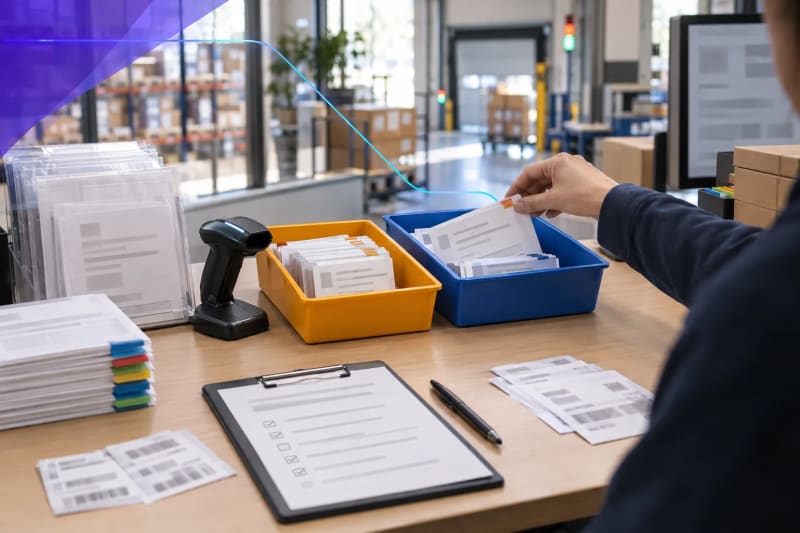
For 3PL and fulfillment teams, logistics exception inbox automation turns a shared email inbox into a structured, reviewable work queue. Instead of asking coordinators to read every message, search multiple systems, determine ownership, and forward updates manually, the workflow can classify requests, collect available shipment context, flag missing details, and prepare the case for the right reviewer.
The goal is not to let AI make customer commitments, approve claims, release freight, or authorize charges without oversight. It is to reduce the repetitive sorting, searching, copying, and handoff work that happens before accountable employees make those decisions.
What is logistics exception inbox automation?
Logistics exception inbox automation is a human-reviewed workflow that monitors shared inboxes, identifies likely exception types, extracts shipment or order references, gathers relevant records and attachments, and routes a prepared case to the responsible team. It helps 3PL and fulfillment teams manage recurring issues such as shortages, damages, late shipments, ASN errors, appointment changes, returns, proof-of-delivery requests, and inventory discrepancies without making automation the final decision-maker.
Effective implementations retain the original email and supporting documents, show the evidence used to prepare the case, identify missing information, and give employees clear authority to verify, correct, prioritize, and resolve each exception.
What logistics exception inbox automation can do
A logistics exception inbox workflow can monitor a shared inbox or designated email queue, identify the likely issue type, and create a consistent work item for the operations team. Based on available data and configured rules, it can sort recurring requests involving shortages, damages, late shipments, missing or incorrect ASNs, appointment changes, returns, proof-of-delivery requests, inventory discrepancies, and portal-access questions.
For each message, the workflow may extract identifiers such as a PO number, order number, shipment reference, PRO number, load number, carrier name, customer, facility, SKU, or requested delivery date. When system access and record quality allow, it can use those identifiers to find related records, collect relevant attachments, and prepare a summary for human review.
Email threads rarely provide the complete record. A response may depend on a warehouse note, carrier status event, ASN, BOL, POD, customer routing guide, retailer portal update, or prior account-management correspondence. The workflow should preserve source links and original documents so reviewers can validate the information before taking action.
For a broader view of operational queues in warehouse and customer-service work, see ClearGuide's AI automation approach for logistics and fulfillment teams.
Why the inbox becomes an operational bottleneck
Shared logistics inboxes often become an informal control point for work that systems of record do not fully manage. A WMS, TMS, ERP, carrier portal, retailer portal, or customer-service platform may contain key transaction data, but exceptions usually arrive in unstructured language and may lack the details needed for immediate resolution.
A customer might write, “We are short on yesterday's delivery,” without including a PO, shipment number, location, or SKU. A carrier may send an appointment-change notice in a forwarded thread. A receiver may attach photos without clearly identifying the load. In each case, someone must interpret the issue, locate the relevant transaction, assess urgency, and determine who should act.
That work can also depend on individual knowledge rather than a documented process. One coordinator may know a retailer's ASN correction path, while another knows which facility handles a damage investigation or when account management should review a response. Applying that knowledge consistently is difficult in a crowded inbox.
The result can be delayed ownership, incomplete follow-up, duplicate investigation, inconsistent documentation, missed escalation windows, and limited visibility into recurring exception patterns.
Start with exception categories that have clear owners
Do not begin with a broad directive to “automate the inbox.” Start with request types that occur frequently enough to support a repeatable intake process and have clear next steps, owners, and source records.
Shortage or overage claims: Capture the shipment, order, SKU, quantity, location, receiving date, and claim details. Note whether photos, receiving documents, count sheets, or proof of delivery are attached.
Damage reports: Identify the affected shipment, customer, facility, carrier, and attachments. Distinguish between an initial report and a claim ready for investigation, then route the item according to documented claim and customer-service rules.
Late shipment or status requests: Extract the relevant references and gather the latest available operational status before a coordinator responds. Separate routine status inquiries from missed appointments or requests that could require a customer-facing commitment.
ASN and appointment issues: Identify missing, conflicting, or time-sensitive details, such as a PO mismatch, changed delivery window, or missing confirmation number. Route the request to the team responsible for the correction.
Returns questions: Bring together RMAs, photos, inspection notes, disposition requests, inventory-location details, and customer correspondence in a single review packet.
Categories should reflect the language customers, carriers, warehouses, and retailers actually use, not just labels on an internal process map. During discovery, review a representative sample of messages from both busy and normal periods. This often reveals forwarded threads, vague subject lines, screenshots, inconsistent attachment names, duplicate requests, and messages containing more than one issue.
Design the workflow around preparation, not autonomous decisions
A practical first design separates preparation from judgment. Automation completes defined preparation steps, while accountable employees review the facts, apply customer-specific rules, and decide what to do next.
1. Capture and classify the message
The workflow can receive a new email, retain the sender, recipients, timestamp, subject line, thread history, and attachments, then assign a likely exception category. It may also flag whether the message appears to be a new request, a reply to an open case, a duplicate, or an informational update.
Classification should not be treated as a hidden or final decision. If confidence is low, several categories may apply, or the message lacks an identifiable shipment or order reference, the workflow should send the item to manual triage rather than force an incorrect route.
2. Extract identifiers and locate context
Next, the workflow can look for the details needed to investigate the issue: PO, shipment, load, order, ASN, RMA, customer, carrier, facility, SKU, or appointment number. Where connected systems support it, those details can be used to find linked records or generate a short list of possible matches.
If critical information is absent, the work item should say so clearly. For example, “No PO or shipment reference found in the email or attachments” is more useful than presenting an unverified match as confirmed. This prevents reviewers from mistaking unresolved ambiguity for a verified result.
When exception emails routinely include PDFs, scans, photos, forms, or receiving documents, the intake design should define what can be extracted reliably, what requires visual verification, and how original files remain available to reviewers.
3. Create a usable review item
The reviewer may receive a familiar output: a queue item, ticket, CRM record, spreadsheet row, operations dashboard entry, or internal notification. The item can include the customer request, source links, extracted identifiers, related records, attachments, suggested owner, proposed priority, and unresolved gaps.
A useful review item should answer the coordinator's first questions: What happened? Which shipment or order is involved? What evidence is attached? Is there a deadline or service risk? Who owns the next step? What information is still missing? Reviewers should be able to verify the case without relying solely on an automated summary.
For teams that need help structuring shared-inbox triage, thread summaries, and follow-up tasks, an AI email assistant for operational inboxes may be one component of a larger workflow.
4. Route, escalate, and record the outcome
Routing rules can use category, customer, facility, carrier, urgency indicators, service-level commitments, appointment windows, or dollar thresholds when those rules are documented and maintained. A workflow may notify the responsible person, create a task, set a follow-up time, or flag an unacknowledged item for escalation after a defined interval.
An employee should confirm responses or escalations involving material decisions. Once work is complete, the workflow can record a disposition such as resolved, awaiting customer information, carrier escalation opened, warehouse investigation required, or account-management review needed. Consistent disposition data supports later analysis of recurring issues.
Keep the human review checkpoint explicit
Exception work is not uniform. One late-shipment request may require only a status update. Another may involve a missed retailer appointment, potential chargeback exposure, a carrier escalation, or a customer commitment that requires approval. Treating both cases the same creates operational and commercial risk.
Define which actions can be prepared automatically and which require human approval. Human-owned decisions commonly include customer commitments, shipment release decisions, billing approvals, claim determinations, write-offs, credits, exceptions to routing rules, and responses involving contractual interpretation.
Also define what a reviewer can correct. If the workflow assigns the wrong category, finds the wrong shipment, or misses a priority signal, staff should be able to amend the item without bypassing the process. Those corrections can inform updates to routing rules, extraction logic, and classification guidance.
This approach aligns with the context- and risk-based governance described in the NIST AI Risk Management Framework. In practice, that means reviewers can see the information gathered by the workflow, correct it when needed, and remain accountable for final actions.
Build a measurable pilot
A pilot should focus on one inbox segment or exception category rather than every email the company receives. A team might start with customer shortage claims for one business unit, appointment-change requests for one facility, or a defined group of retailer-related ASN issues.
Before building, document the current process in enough detail to test the result. Identify where messages arrive, how they are assigned today, which records staff check, which details are commonly missing, which situations require escalation, and what constitutes a complete handoff. Address constraints early, including available APIs, portal access, email permissions, record quality, attachment formats, and whether source systems can be searched reliably.
Then agree on measures that reflect operational usefulness.
Time from email arrival to assigned owner
Percentage of requests categorized correctly after human review
Percentage of review items containing needed identifiers, source links, and attachments
Number of messages requiring manual forwarding, duplicate follow-up, or reassignment
Volume and type of unresolved exceptions by customer, carrier, facility, or category
Do not evaluate a pilot on processing speed alone. A faster queue that sends inaccurate, poorly documented, or misrouted work downstream creates more problems. Review quality, clear ownership, a usable audit history, and fewer avoidable handoffs should carry equal weight.
Use recognized transaction standards where they help
Many exception investigations depend on status information exchanged between trading partners. When standardized transaction data is available, it can help teams define what a workflow should retrieve, compare, or present for review. For example, the X12 214 transportation carrier shipment status transaction provides a standard format for carrier shipment-status information.
This does not mean every inbox workflow requires a full EDI project. It does mean the team should identify which identifiers and status events are authoritative, where they reside, how current they are, and which data the workflow can use reliably as context. A workflow should not treat a stale carrier update, an unverified email statement, and a confirmed system-of-record event as equivalent evidence.
Common logistics inbox automation mistakes to avoid
The first mistake is automating before documenting ownership. If no one can explain who handles a missing ASN, when warehouse operations owns a discrepancy, or when account management should be involved, automation will only move unclear work faster.
The second is making the output too abstract. A generic AI summary is less useful than a structured review item that names the customer, references the shipment, shows the original message, lists attached files, identifies the likely owner, and states what remains unknown.
The third is overreaching on day one. Start with a visible queue that has recurring patterns, accessible source data, a clear reviewer, and a manageable risk profile. Expand only after the team can assess the output and explain how incomplete or conflicting information is handled.
The fourth is failing to plan for exceptions to the automation itself. Messages may arrive without identifiers, records may not match cleanly, attachments may be unreadable, and customers may use unexpected terminology. A workable design includes a defined manual-triage path rather than assuming every email can be processed cleanly.
Frequently Asked Questions
Does logistics exception inbox automation replace a WMS or TMS?
No. It organizes messages, documents, context gathering, and handoffs around existing systems of record. The WMS, TMS, ERP, and related platforms remain authoritative for the records they manage.
Which exception type is best for a first pilot?
Choose a repeatable queue with clear owners and visible inputs, such as shortage claims, appointment requests, ASN issues, or customer shipment-status inquiries. Avoid categories that depend heavily on undocumented judgment or lack a defined escalation path.
Can the workflow read attachments and forwarded email threads?
Yes, if it is designed for supported file types and email sources. It should retain the original files and messages for reviewer verification and define how unreadable or incomplete documents are handled.
How should urgent exceptions be handled?
Use explicit escalation rules based on customer, ship window, appointment time, service level, keywords, or stated delivery deadlines. Human reviewers should be able to override priority when operational context requires it.
What should remain human-reviewed?
Customer commitments, financial approvals, claim decisions, shipment release decisions, exceptions to documented rules, and actions with material operational, contractual, or commercial consequences should remain with responsible staff.
A practical next step
If your team spends substantial time sorting exception emails before it can investigate them, start with one queue and map the work around it. Identify incoming message types, records needed for review, the decision owner, escalation conditions, and outcomes worth tracking. Talk with ClearGuide about one practical workflow to automate to determine whether a focused, human-reviewed build is appropriate for your operation.
Reading is useful. A workflow assessment makes it concrete.
If a guide sounds like your business, ClearGuide can help you map the workflow and decide what is worth building first.