
Retail Compliance Review Automation: What to Automate First
A practical guide for logistics and fulfillment leaders on where retail compliance review automation helps first, which tasks are safest to automate, and how to pilot the workflow without disrupting WMS or TMS operations.
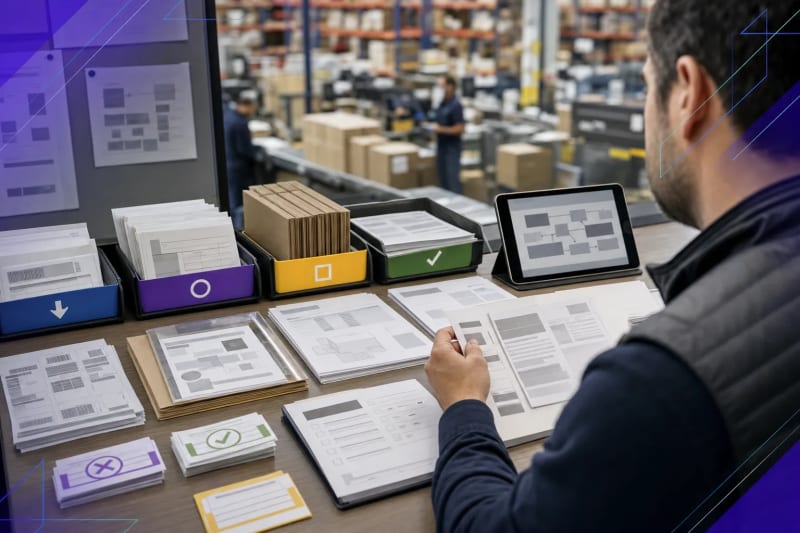
Retail compliance review automation is most effective when it prepares the work, not when it replaces judgment.
Short answer: retail compliance review automation should typically handle intake, document collection, field extraction, rule checks, exception summaries, and routing first. It should not make final shipment release or customer exception decisions without human review.
For logistics and fulfillment teams, retail compliance review automation is usually about reducing the manual checking that happens before a shipment is released or an exception is escalated. In practice, that can mean reviewing routing guide requirements, checking ASN references, confirming ship windows, validating label and carton details, and identifying missing information before someone has to track it down.
A practical starting point is rarely full autonomy. More often, it is a narrow review queue where the rules are visible, the documents already exist, and the team is spending too much time piecing together context. That is one reason retail compliance review is often a strong entry point for AI automation for logistics and fulfillment teams.
If your operation already runs on a WMS, TMS, retailer portal workflow, or EDI process, this kind of automation should usually sit alongside those systems. Its role is to clean up intake, surface exceptions, and speed up review. It should not force the team to re-platform or create a second system of record.
What retail compliance review automation should do first
Start with work that is repetitive, document-heavy, and straightforward to verify. In most logistics environments, that means using automation for preparation and exception detection before a coordinator, compliance analyst, or operations lead makes the final call.
- Collect documents and messages tied to a shipment or order
- Extract key fields from routing guides, ASNs, BOLs, spreadsheets, portal exports, and email threads
- Check required fields against customer-specific rules
- Flag missing, conflicting, or incomplete details for review
- Route the item to the right person with a concise summary of what needs attention
That is usually a safer and more useful scope than asking AI to decide whether a shipment should move, whether a retailer requirement has been satisfied in every edge case, or whether a customer exception should be accepted without review.
For many teams, the highest-value early work closely resembles document intake and processing automation: gather the files, pull out the fields, compare them with expected requirements, and present the reviewer with a clean exception packet instead of a stack of attachments.
Where manual retail compliance review slows logistics teams down
Retail compliance issues do not always stem from one major failure. More often, they build from small review tasks scattered across inboxes, PDFs, spreadsheets, portals, and undocumented process knowledge.
A coordinator may need to compare a routing guide with shipment details, verify pallet or carton counts, confirm labeling requirements, check whether an ASN was submitted, and then chase down one missing detail from customer service, the warehouse, or a carrier contact. None of those steps is especially difficult on its own. Together, they create delay.
That is also why many teams feel overloaded even when their core systems are in place. The system of record may manage the shipment record itself, but the review work around it still lives in email threads, attachments, shared drives, and side spreadsheets. The bottleneck is often not transaction processing. It is the time required to reconcile inconsistent inputs before someone is comfortable releasing the load or escalating the issue.
Another common friction point is repeated checking by different people at different stages. Customer service may confirm one requirement, the warehouse may verify another, and a logistics coordinator may recheck both because the evidence is scattered. At that point, the process is not just manual. It is duplicative.
For a general overview of retailer and supply chain topics, the National Retail Federation can be a useful industry resource. Teams looking for transportation regulations and official guidance can also refer to the U.S. Department of Transportation.
What to automate first in a retail compliance review queue
1. Intake and document gathering
If the team is still opening emails one at a time and hunting for attachments, start there. Automation can monitor a shared inbox or intake source, identify the shipment or customer reference, collect related files, and package them for review.
This matters because many compliance delays are not decision problems at the start. They are evidence problems. The reviewer simply does not have the right information in one place.
In many operations, the intake problem is simple but expensive: the BOL is in one email, the routing guide sits in a shared folder, the ASN confirmation is buried in a portal or spreadsheet, and the customer-specific note is tucked into a reply thread. Pulling that together by hand is exactly the kind of work automation can take off the team.
2. Field extraction and normalization
Retail compliance review often involves the same core data points appearing in different formats: PO numbers, ASN references, ship dates, pallet counts, carton counts, carrier names, destination details, and label requirements. Automation can extract those fields and normalize them into a format that is easier to review.
That gives the reviewer a consistent view instead of forcing a manual comparison across a spreadsheet, a PDF routing guide, and an email chain.
Normalization matters because many review delays come from format mismatch rather than true exceptions. One document may spell out the carrier name, another may use an abbreviation, and a third may reference only a load number. A strong workflow does more than extract text. It organizes the information so a reviewer can quickly see whether the records line up.
3. Rule-based checks
Once the data is structured, the next step is straightforward rule checking. Is a required field missing? Does the ship window appear to conflict with the release timing? Is the ASN reference absent? Do carton or pallet counts look inconsistent across documents?
These checks help narrow attention. Instead of reading every file from scratch, the reviewer can focus on the items that appear to require human judgment.
The practical standard is not perfection. It is reliable first-pass screening. If the automation can consistently catch obvious misses, incomplete packets, and likely conflicts, it can cut a meaningful amount of low-value review work.
4. Exception summaries
A good automation output should not bury the team in raw alerts. It should summarize the issue in plain language: what was found, what appears to be missing, and which document or message created the conflict.
That also makes adoption easier. Teams are more likely to trust a review queue when it looks like work they already understand.
For example, a useful summary might explain that the routing guide requires an ASN reference, the shipment packet includes the BOL and carton detail, but no ASN confirmation was found in the email thread or attached files. That is far more actionable than a generic warning with no explanation.
5. Routing to the right owner
Not every exception belongs with the same person. Some issues sit with customer service, some with warehouse operations, some with billing, and some with the account owner. Automation can assign or route the item based on rule type, customer, or workflow stage.
This step is often overlooked, but clear ownership saves time.
In implementation work, this is where some pilots succeed or stall. If every exception still lands in one shared inbox for someone to sort manually, the team has only automated part of the problem. Much of the value comes when the workflow can separate documentation issues from operational issues and send them to the right owner with enough context to act.
What should stay human in retail compliance review automation
Retail compliance review automation should support release decisions, not replace them. A person should still make the final call when the issue affects customer commitments, shipment release, chargeback exposure, or exception handling that depends on context not fully captured in the documents.
- Approving shipment release when a requirement is unclear
- Interpreting customer-specific exceptions or one-off instructions
- Deciding whether missing documentation is acceptable
- Communicating commitments back to the customer
- Resolving edge cases where records conflict
If a workflow includes undocumented exceptions, frequent customer-specific overrides, or inconsistent source data, that does not mean automation is the wrong fit. It usually means the output should be reviewed by a person before action is taken.
A useful rule of thumb is simple: if the task requires applying policy to messy facts, keep a person in the loop. If it requires gathering evidence, comparing visible fields, and surfacing likely issues, automation is often a strong fit.
How to choose a good retail compliance review automation pilot
The best pilot is a queue your team already feels every day. It should be visible, narrow, and painful enough that people will use an improvement right away.
Good signs you have a strong pilot candidate:
- The same types of documents appear repeatedly
- The review steps are repetitive even if the cases vary
- Missing information drives frequent follow-up
- The team already relies on a shared inbox, spreadsheet, or manual checklist to manage the work
- You can define what counts as a clean handoff versus an exception
A weak pilot is one where every case is unique, the rules are mostly unwritten, or the team expects the automation to make final operational decisions on day one.
It also helps if the pilot has a natural before-and-after measure. That does not require a formal analytics program. It can be as simple as tracking how many items arrive incomplete, how long review takes, how often the team has to request missing information, or how many exceptions bounce between departments before resolution.
If the workflow is still managed mostly through a shared inbox, this is often where an AI email assistant can support the process by organizing intake, summarizing threads, and helping reviewers spot what is missing before work stalls.
How to scope the workflow without disrupting WMS or TMS
One common concern is whether this kind of automation requires replacing the WMS, TMS, or retailer workflow already in place. It should not.
A practical implementation usually works around the current stack. It reads from the sources the team already uses, prepares a review output, and hands the result back into the existing process. That may mean a summary in email, a structured review queue, a CRM or ticket update, or a handoff into an internal operations workflow.
The key design question is simple: where does work get stuck before the system of record can absorb it cleanly?
For retail compliance review, the answer is often the same: intake is messy, exceptions are hard to identify quickly, and ownership stays unclear until someone manually assembles the context.
From an implementation standpoint, scoping usually goes better when the team maps the workflow in plain operational terms first. What triggers the review? Which documents are expected? Which fields matter? What counts as a pass, a likely exception, or a hard stop? Who owns each exception type? Those questions matter more than the specific automation tool.
The most durable designs also account for handoffs. If the automation flags a problem, someone still needs a clear next action: request missing paperwork, confirm a date, correct a record, or escalate to the account owner. Without that handoff design, teams can end up with a smarter alert but not a better process.
What a useful output looks like
A useful retail compliance review automation output is not a black-box score. It is a packet or queue item that a coordinator can review quickly.
- Shipment or order reference
- Customer or retailer name
- Documents found
- Key fields extracted
- Rules checked
- Missing or conflicting details flagged
- Recommended owner for follow-up
- Short summary of why the item needs review
When the output is familiar and easy to verify, adoption is usually easier. Teams do not need a futuristic interface. They need cleaner prep work and fewer avoidable misses.
That output should also preserve traceability. Reviewers need to see where a field came from, which document triggered the exception, and what the automation could not confirm. In operations, trust usually comes from transparency more than novelty.
Frequently Asked Questions
Does retail compliance review automation replace a coordinator or ops lead?
No. It works best as review support that gathers context, checks visible rules, and flags exceptions so a person can make decisions faster.
Can this work if our customer rules vary by account?
Yes. Account-specific rules can be documented and checked consistently, but the output should still support human review for exceptions.
Do we need to replace our WMS or TMS to use this?
No. A practical setup usually works around existing systems and focuses on inboxes, documents, and handoffs those systems do not fully absorb.
What is the best first use case inside retail compliance review?
Start with intake, document gathering, field extraction, and missing-detail detection because those steps are repetitive and easier to verify.
How do we know if this is worth piloting?
If your team repeatedly checks routing guides, ASNs, labels, ship windows, and shipment details by hand across multiple sources, it is likely a strong pilot candidate.
A practical next step
If retail compliance review is slowing shipment readiness or creating too much manual follow-up, the right question is not whether AI can run the whole process. The better question is which part of the queue can be prepared automatically so your team can review it faster and with fewer misses.
If you want help identifying one practical workflow to automate, you can talk with ClearGuide about where the review work is getting stuck and what a focused pilot should include.
Reading is useful. A workflow assessment makes it concrete.
If a guide sounds like your business, ClearGuide can help you map the workflow and decide what is worth building first.